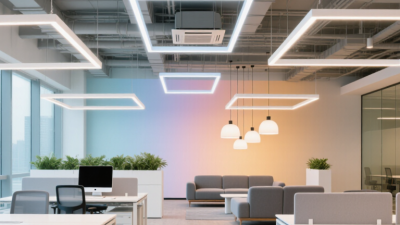

How to Choose the Best Office Lighting?
Office Lighting shapes how clearly people read, collaborate, and stay comfortable through a long workday. Yet choosing fixtures by brightness alone often creates harsh reflections on monitors and dim corners near meeting tables. Small details matter. A desk can look bright while the screen still feels difficult to read.
The International Energy Agency reports that lighting uses about 15% of global electricity. The U.S. Department of Energy says LEDs use at least 75% less energy than incandescent bulbs. These figures make efficiency important, but they do not tell you whether a room feels calm or visually tiring. Light quality matters too. Dr. Mariana Figueiro, a leading light-and-health researcher, describes light as “the primary synchronizer of the circadian system.” Her research underscores why timing and exposure deserve attention alongside energy use.
This guide explains how to compare color temperature, glare control, brightness, and fixture placement. It also considers daylight, dimming, and the different needs of focused work and shared spaces. There is no single perfect setting. A cool, bright ceiling panel may suit a task area, yet feel uncomfortable after hours. The honest test is practical: check the room at different times, notice reflections on screens, and ask the people who use it daily. One overlooked desk can reveal more than a product label.
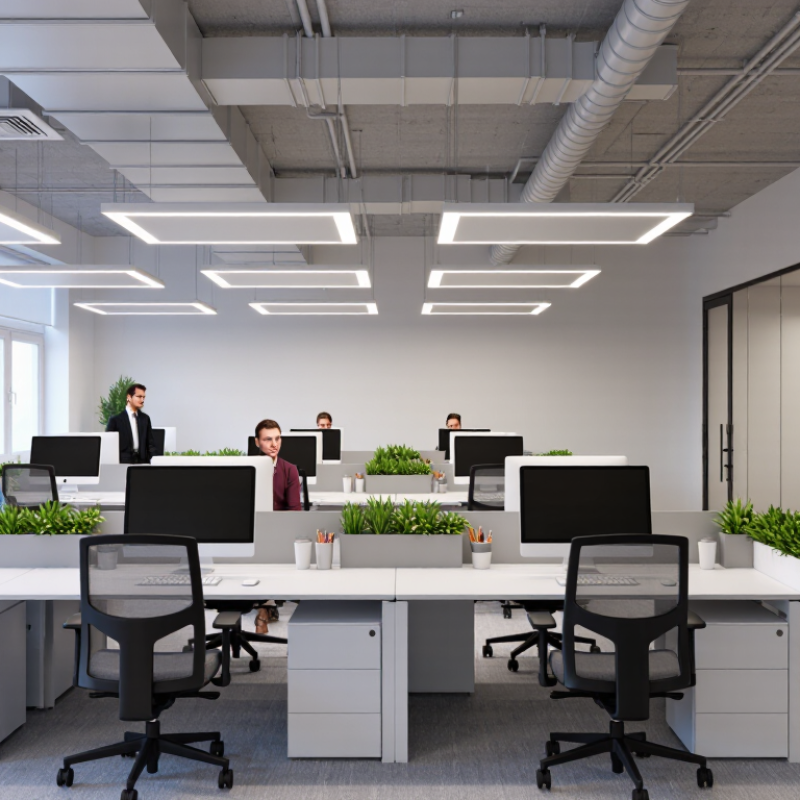
Identify the Lighting Needs of the Office
Spend time observing how each area is used before selecting lights. Note desk locations, screen positions, meeting tables, walkways, and storage shelves. A workstation near a bright window may need different lighting from an interior desk. Watch for reflections on monitors and bright patches that make people squint. Small details matter.
Match the light to the task. Computer work benefits from comfortable, even illumination with limited glare; reading printed plans may need brighter light directly on the page. Meeting rooms need faces to look clear on video calls, while corridors need consistent visibility without harsh contrasts. Provide separate controls where tasks differ, so one setting does not have to serve everyone. Test sample lighting at the actual desks, during both sunny and overcast conditions.
Also consider who uses the space and when. Ask staff whether they experience eye strain, dark corners, or lights that feel too harsh. Check how daylight changes across the room, and whether shelves or partitions block it. A common planning mistake is judging brightness from an empty room. People, screens, and furniture change how light feels. The first layout may still need adjustment after a week of normal use.
Assess Daylight, Room Layout, and Work Tasks
How to Choose the Best Office Lighting?
Assess daylight at different times, not just during a morning walkthrough. A desk beside a window may feel bright at 9 a.m. but gloomy by late afternoon. Notice glare on screens, sharp shadows, and reflections on glossy surfaces. Sheer blinds can soften direct sun while preserving useful daylight. Still, daylight changes with weather and season, so it should not be the only light source.
Room layout matters. Map desks, walkways, shelves, and meeting areas before placing fixtures. A single bright ceiling light can leave corners dim and create harsh contrast across monitors. Use even general lighting, then add adjustable task lights where people read, write, or inspect detailed work. Match the light to the task: computer work usually needs comfortable, controlled light, while paper-based tasks may benefit from a brighter desk area. Too much brightness can be tiring, too. It is easy to overlook how a pale wall bounces light into someone’s eyes.
Tips: Test a sample setup at a real desk. Check it in daylight and after sunset. Move the lamp before buying more fixtures. Ask staff where glare or shadows disrupt their work; their answers may challenge your original layout.
How to Choose the Best Office Lighting? — Assess Daylight, Room Layout, and Work Tasks
Use this guide to match lighting to the work being done, the amount of daylight available, and the arrangement of the room. Illuminance figures are practical starting points; applicable local standards and a qualified lighting assessment should guide final design.
| Assessment factor | What to check | Practical target or guidance | Recommended action |
|---|---|---|---|
| Computer-based desk work | Screen readability, paper tasks, and visual comfort at the desk | About 500 lux on the main work area is a common design level for office tasks. | Provide even, controllable light. Position fixtures and screens to reduce reflected glare and bright reflections on displays. |
| Reading, writing, and detailed paperwork | Small text, contrast, and the amount of close-up visual work | About 500 lux is a common target for routine reading and writing; more demanding detail work may need higher task lighting. | Use adjustable task lighting where needed, while keeping the surrounding area reasonably balanced in brightness. |
| Meeting and collaborative areas | Face-to-face communication, notes, and screen or presentation use | Around 300–500 lux is a practical starting range, depending on the activities and presentation setup. | Use dimming or separate lighting zones so the room can support discussion, note-taking, and screen presentations. |
| Filing, storage, and circulation | Finding materials, reading shelf labels, and moving safely | Typically lower than desk-task lighting; circulation areas often use roughly 100–200 lux as a starting range. | Light routes and storage fronts evenly, and avoid dark patches, sharp shadows, and abrupt brightness changes. |
| Daylight availability | Window direction, seasonal changes, direct sun, and daylight reaching desks | Daylight varies throughout the day and year, so it should not be treated as a constant light level. | Place workstations to make useful use of daylight while avoiding direct sun on screens. Use blinds or shades to manage glare and solar brightness. |
| Room layout and workstation position | Desk orientation, fixture locations, partitions, and light blocked by furniture | Lighting should cover work surfaces consistently rather than creating isolated bright spots. | Arrange screens perpendicular to windows where practical. Check lighting at seated eye level and on the actual work surface after furniture is installed. |
| Glare and visual comfort | Bright windows, exposed light sources, reflections, and contrast between screen and surroundings | There is no single illuminance value that guarantees freedom from glare; source position, brightness, and viewing direction matter. | Shield or diffuse bright sources, provide suitable window control, and adjust fixture placement to keep light sources out of direct lines of sight. |
| Light colour and consistency | Colour appearance, visual preference, and consistency across the office | Neutral-white light in the approximate 3500–4000 K range is a common office choice; colour temperature alone does not determine light quality. | Choose consistent colour appearance across nearby fixtures and consider colour rendering for tasks where distinguishing colours matters. |
| Controls and energy use | Daylight changes, occupancy patterns, and different room uses | Lighting needs can vary by zone and time of day. | Use separate controls for window-side and interior zones. Consider occupancy sensing and daylight-responsive dimming where appropriate, with user overrides. |
Selection checklist: Start with the task, assess daylight and glare, review the room layout, then select controllable lighting that provides comfortable and sufficiently even illumination. Confirm the finished installation under actual working conditions.
Compare Light Sources, Color Temperature, and Color Rendering
Choose the light source for the work, not just the fixture price. LED panels offer efficient, even illumination and easy dimming; fluorescent tubes can produce a familiar, diffuse spread, but may flicker or age unevenly. The U.S. Department of Energy reports that LEDs use at least 75% less energy and last up to 25 times longer than incandescent lighting. Those figures are a useful benchmark, though actual savings depend on controls, operating hours, and the system being replaced. Start with the task. Check the desk surface at working height, where shadows from a monitor arm or shelf can make a bright room feel surprisingly dim.
Color temperature shapes the room’s feel: around 3000 K appears warmer, while 4000 K often reads as more neutral. Neither is automatically best; compare samples under the actual walls and daylight, because a cool lamp can make pale surfaces look stark. Color rendering matters when staff judge printed charts, skin tones, or colored labels. EN 12464-1:2021 sets 500 lux maintained illuminance and a minimum Ra 80 for common office tasks such as reading and data processing. Ra, often shown as CRI, indicates how faithfully colors appear, but it does not capture every visual preference. One caveat: a high CRI number cannot fix glare. I’d test a small area before choosing; I still find that paper colors can shift more than expected.
Choose Brightness Levels and Fixture Placement
Choose brightness for the work, not just the room. A useful starting point is around 300–500 lux on desk surfaces, though detailed tasks may need more. Check local workplace guidance and adjust for screen use, daylight, and individual comfort. Too much light can be tiring. So can too little.
Place ceiling fixtures to spread light evenly, rather than creating bright pools between dim areas. Keep them out of direct sightlines and avoid positioning a strong light where it reflects in a monitor. For a desk near a window, set the screen perpendicular to the glass when possible. This often reduces glare. A small adjustable desk lamp can illuminate paperwork without flooding the whole workstation; aim it away from the eyes and screen.
Test the setup at different times of day. A room that feels balanced at 9 a.m. may become harsh when afternoon sun reaches the desk. Move a lamp, tilt a shade, or add diffusion before increasing brightness. One detail is easy to miss: glossy desks and pale walls can bounce light into the eyes. There is no perfect layout for every room, so ask people who use the space what feels uncomfortable, then make one change at a time.
Check Energy Use, Visual Comfort, and Maintenance Needs
Office lighting should be judged by energy use, visual comfort, and the effort required to keep it working. The U.S. Department of Energy’s Energy Saver guidance says LEDs use at least 75% less energy and last up to 25 times longer than incandescent bulbs. That comparison is useful, but many offices use fluorescent lighting instead, so check the actual wattage and operating hours before estimating savings. A simple meter reading can reveal whether lights remain on in empty meeting rooms. Small detail. Include controls in the calculation, but verify that sensors do not leave staff working in sudden darkness.
Comfort needs more than a bright ceiling. ANSI/IES RP-1-22, the Illuminating Engineering Society’s recommended practice for office lighting, offers guidance for planning office visual conditions. Check the work surface, screen reflections, glare from windows, and differences between bright and dim areas. A desk can measure well and still feel tiring. I would not choose fixtures from a lux reading alone; test them at seated eye level, during daytime and after dark. Maintenance matters, too: confirm that drivers and lenses are accessible, and that replacement parts are readily available. A fitting that saves energy but requires awkward ladder work may prove costly. That trade-off is easy to overlook.
Related Posts
-
What Are the 2026 Top Office Lighting Trends?
-
Maximizing Office Lighting Efficiency and Maintenance Costs Through Smart Solutions
-
How to Choose the Best Office Lighting for Enhanced Productivity and Comfort
-
Navigating Global Trade Certifications: Your Guide to Sourcing Premium LED Spotlights
-

Ultimate Guide to Choosing the Best Sidewalk Lighting Solutions for Your Needs
-
How to Choose the Best Led Lighting for Cost Efficiency and Sustainability in Global Markets